Last Updated on 3 months ago by Elric
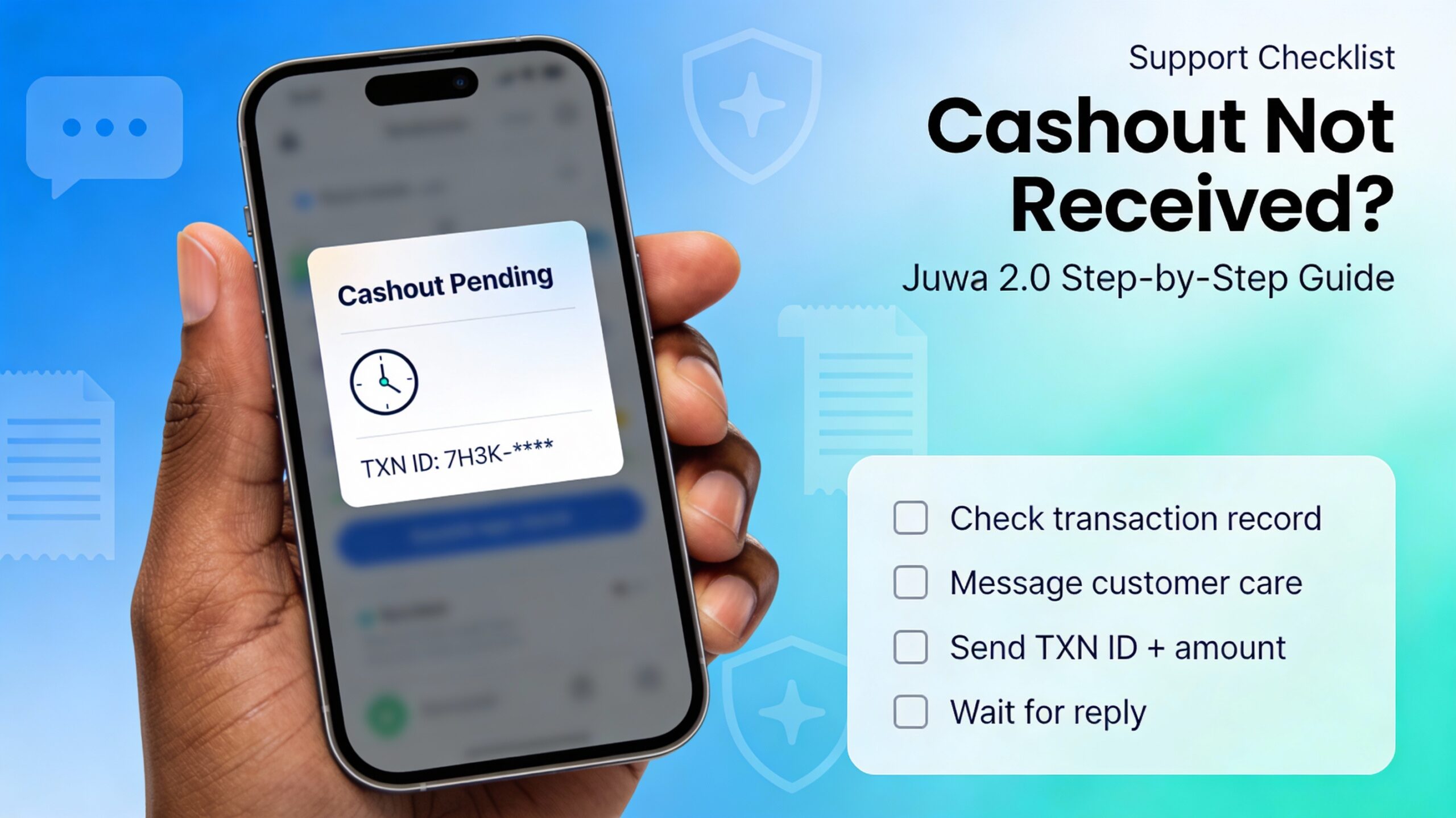
Cashout delays in Juwa 2.0 can be stressful, but most cases get cleared once the right details reach the right person. Players in Juwa 2.0 communities commonly say support replies within about 24 hours, so the goal is to send a clean, complete message the first time and avoid back-and-forth.

If you haven’t played the game yet, you can click here to download. Juwa 2.0 is known for self-registration and a more self-managed flow compared to older setups, so users often handle things directly instead of going through an agent. Problem with Download? Read the guide here to help yourself with the download.
Before contacting support (5-minute checklist)
Do these quick checks first so the support chat stays simple:
-
Confirm whether it’s a cash-out not received or a cash-in not loaded (two different issues).
-
Open your transaction record/history screen and find the exact transaction. (This is where you’ll copy the transaction ID and amount.)
-
Note the time you requested the cashout/cash-in and whether it shows as “pending/processing/completed” on your side (whatever wording your screen shows).
-
Double-check you’re using Juwa 2.0 / Juwa 2 / self-register player version (not another Juwa variant), because mixing versions is how cases get delayed. Juwa 2.0 is described in communities as “player operated” with a self-register flow.
⚠️ Warning: Wrong Withdrawal Address = Player Responsibility
If a player enters the wrong withdrawal address (wrong characters, wrong wallet, wrong destination), the funds may be irreversible. In that situation, customer care / tech team developers usually cannot recover or reverse it, so the responsibility is on the player.
Always copy-paste the address carefully and verify it character-by-character before confirming withdrawal. One small mistake can cause permanent loss.
How to contact Juwa 2.0 customer care (Facebook method)
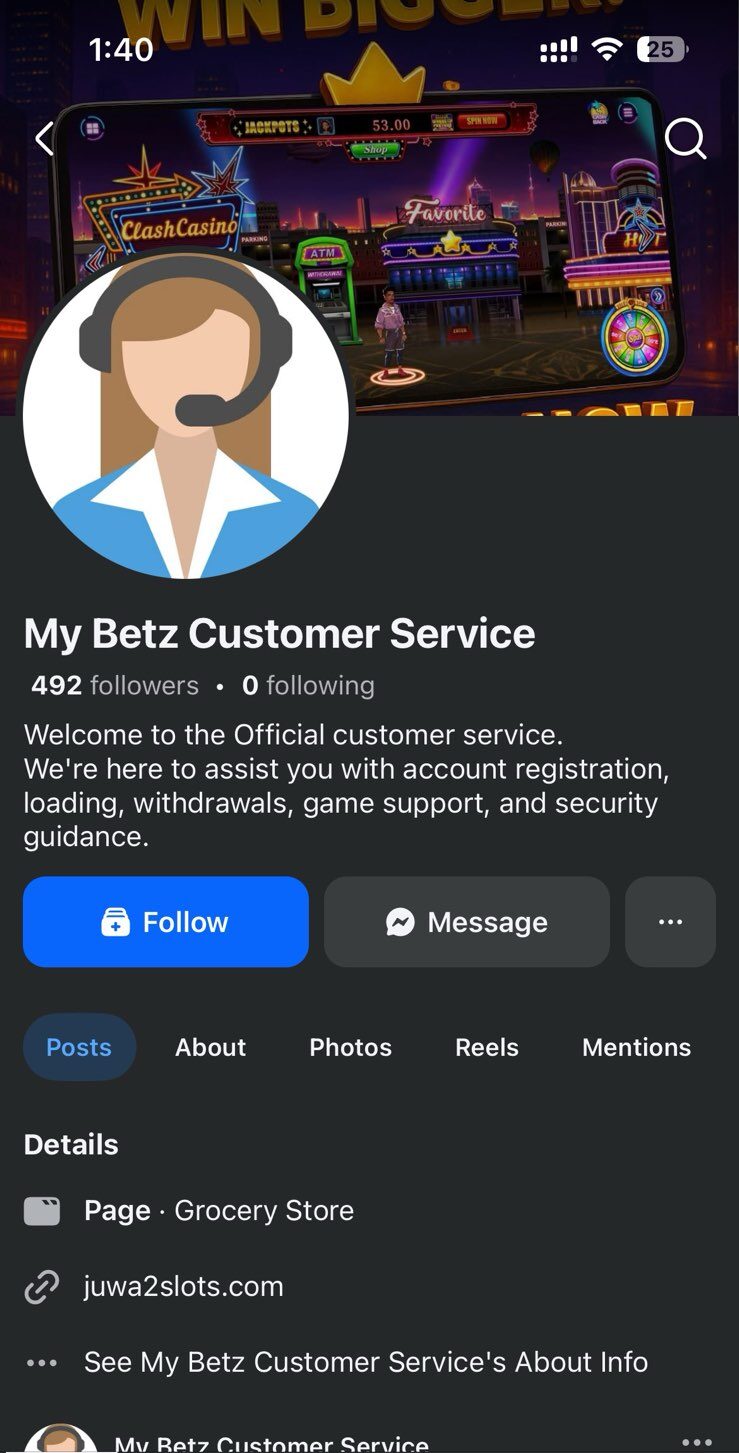
Since there’s no proper in-app live chat in many cases, the “Support” route often takes you straight to a Facebook customer care profile/page.
-
In the game, tap the Support/Help button.

- It will prompt you to a Facebook customer care profile/page
-
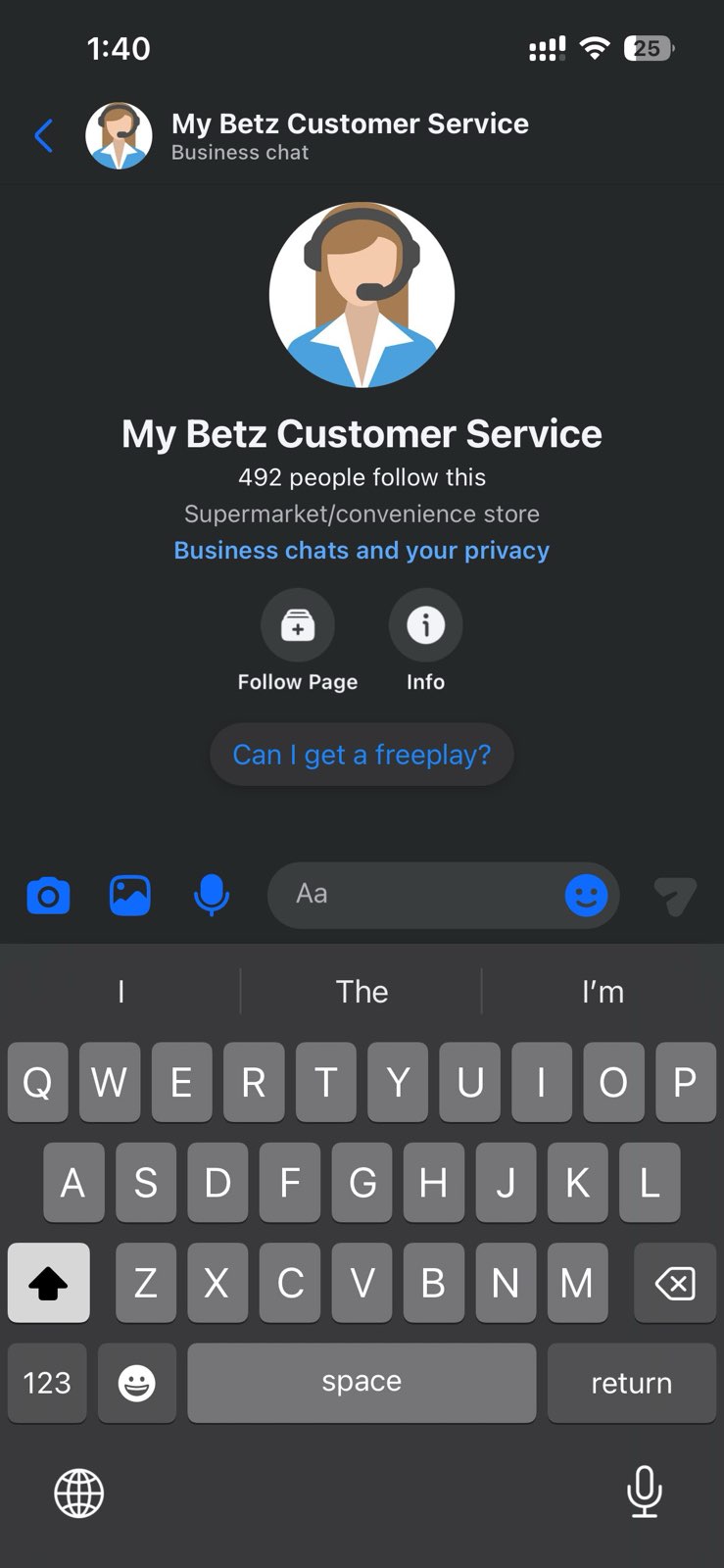
Tap Message / Send Message to open Messenger/Inbox
-
Send a complete report (template below) and do not spam multiple messages, because it can push your thread down or confuse the timeline.
-
Wait for a reply—players commonly mention a response window around 24 hours in community discussions
Copy-paste message template (cashout/cash-in)
Tap Copy, paste it into Messenger, then fill in the blanks.
What to expect after you message them
In many cases, customer care replies that they’ll forward your username + amount + transaction details to the tech team, because the transaction system is handled on the technical side. After that, players often report the issue gets resolved once the tech team reviews the transaction queue/account status.
If support asks for more info, send it in one message (don’t drip details one-by-one), and keep your wording calm and specific.
Why your Juwa 2.0 cashout might be on hold
Cashout holds usually happen when the system flags risk or needs a manual review. These are common reasons players talk about:
-
Bug/trick abuse attempts: If the system detects unusual play patterns that look like exploiting a bug or “printing wins,” cashouts can be paused for review
-
Glitch behavior or suspicious session activity: Rapid reconnects, abnormal score jumps, repeated crashes at specific moments, or other “glitchy” patterns may trigger automatic holds while the account is checked
-
Payment disputes/chargebacks: If the first load (or any load) gets disputed through the payment method, the account can be flagged during audit, and cashouts may be held until it’s cleared
Important: If any of the above happened, don’t argue in circles—just provide the transaction proof, confirm the correct username, and ask what exact step is needed to clear the hold.
Juwa 2.0 Cashout FAQ
1) What information fixes a Juwa 2.0 cashout problem fastest?
A single complete report: username, issue type, amount, transaction ID, date/time, status shown, and screenshots.
2) Why does Juwa 2.0 customer care forward cases to the tech team?
Because transaction queues and account flags are handled on the technical side; support often acts as the bridge.
3) What if my cashout is pending for a long time?
If it goes beyond 24–72 hours, message support with your transaction ID and screenshots. Avoid sending multiple separate messages.
4) Should I share my password or verification codes with “helpers”?
No. Never share passwords, one-time codes, or private details. Use official support routes only.
5) What if I entered the wrong withdrawal address?
If the withdrawal address is wrong, the transaction may be irreversible. In most cases, support/tech team cannot recover funds sent to an incorrect address.
Always copy-paste and verify carefully.
People Also Ask: Juwa 2.0 Cashout Problems (Quick Answers)
Why is my Juwa 2.0 cashout on hold?
Most holds happen when a transaction needs a manual review (risk checks, mismatched details, or a system queue). The fastest fix is sending support your username, amount, transaction ID, time, status, and screenshots in one message.
How long does Juwa 2.0 cashout take?
It varies by queue and review status. Many players report replies within about 24 hours, but review cases can take longer. If it’s been more than 72 hours, follow up with the same transaction ID and screenshots.
My Juwa 2 cashout says completed but I didn’t receive it, why?
“Completed” can reflect the in-app request status, not always the final delivery status. Confirm the exact entry in Transaction Record/History and send support the transaction ID + screenshots so they can trace it on the tech side.
What does pending/processing mean in Juwa 2.0 cashout?
It usually means your request is in a queue. If it stays pending for a long time, it may need a manual review. The best next step is to message support once with all details (template above).
What if Juwa 2.0 support is not responding?
Avoid spamming multiple messages. Send one complete report (username, amount, transaction ID, date/time, status, screenshots). If there’s no response after about 24–48 hours, send a short follow-up referencing the same transaction ID.
Where do I find the Juwa 2.0 transaction ID?
Open your Transaction Record/History screen, tap the exact transaction, and copy the ID and amount. Include a screenshot so support can match it quickly.
What should I send to support for a Juwa 2.0 cashout problem?
Send: username, issue type, amount, transaction ID, date/time, status shown, and screenshots. One message is faster than multiple small messages.
Do I need a screenshot for Juwa 2 cashout hold?
Yes. A screenshot of the transaction record (and any error message) helps support verify the exact entry and forward it to the tech team with fewer questions.
Is a Juwa 2.0 cashout delay always a scam?
Not always. Many delays are routine queue/review issues. However, be careful with unofficial “helpers” asking for passwords or codes. Use official support routes and never share sensitive account details.
Appreciate the recommendation. Let me try it out.